Roun — Церква поруч
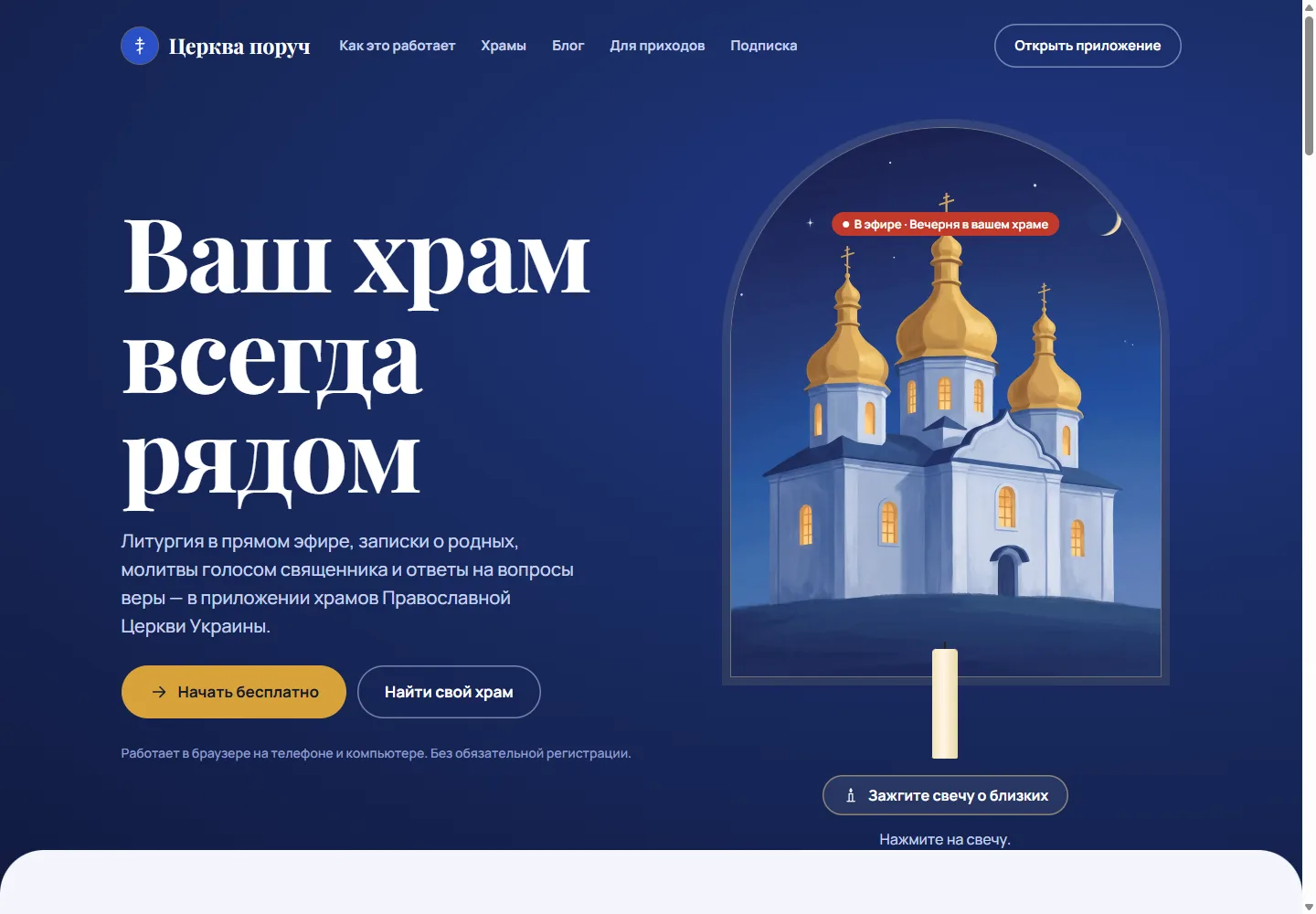
Someone away from home may still want to follow a service at their own church, send the names of relatives for prayer or ask their priest a question. A parish needs a manageable way to receive those requests alongside its regular work.
Roun hosts Церква поруч, a platform presented for parishes of the Orthodox Church of Ukraine. The experience connects parish pages, service schedules, livestreams, prayer requests and communication with clergy. The public site offers Ukrainian and Russian language routes and links to a browser-based application.
Visit roun.org · Read the parish platform design article
Who the platform is for
Parishioners who cannot always be physically present. Someone travelling, living in another city or staying at home may want to follow a service, find the current schedule or send a request to a familiar church.
People looking for a parish or asking a practical question. They need a route to a specific community and a clear distinction between general guidance and a personal answer from clergy.
Parish staff managing online communication. Schedules, lists of names, questions and updates need to fit the work of a real community. An incoming request needs an owner and a usable status.
The platform depends on parish participation. A visitor should check that their chosen church is listed and maintains the relevant information before relying on a particular online service.
Why the product exists
A parish may publish its timetable in one place, stream services in another and receive requests through private messages. The visitor has to find the right channel each time. Staff then have to connect the message to the right person or service.
Церква поруч organises these tasks around parish identity. The church a person chooses provides context for the schedule, request and conversation. QR codes offer a direct route from a physical church to its own page.
The objective is continuity: a person should know which parish they are contacting and what happened after they submitted something.
What Roun offers
- Parish discovery and information: a church directory, parish pages, schedules, news and events.
- Participation from a distance: livestreams, prayer texts and audio prayers accessible through a browser.
- Prayer requests: names and request types, including a free option, with acknowledgement and commemoration states illustrated in the interface.
- Questions and personal communication: a labelled assistant for general questions and a separate route to a priest for personal matters.
- Parish operations: lists of names for services, incoming questions, donation reporting and QR codes.
The public FAQ says reading, listening, watching and submitting requests can begin without mandatory registration. Signing in helps retain information across devices.
How the workflows connect
Organise the experience around a person’s parish
The site starts with recognisable tasks: find a church, follow a service, listen to prayers or submit a request. Its daily sequence moves from morning prayer to a livestream, a question and an update about a submitted note.
Parish identity provides the context for those actions. The same person may choose a nearby church or a community they know from another city. The church directory provides a separate discovery route for that choice.
Show what happens after a request is sent
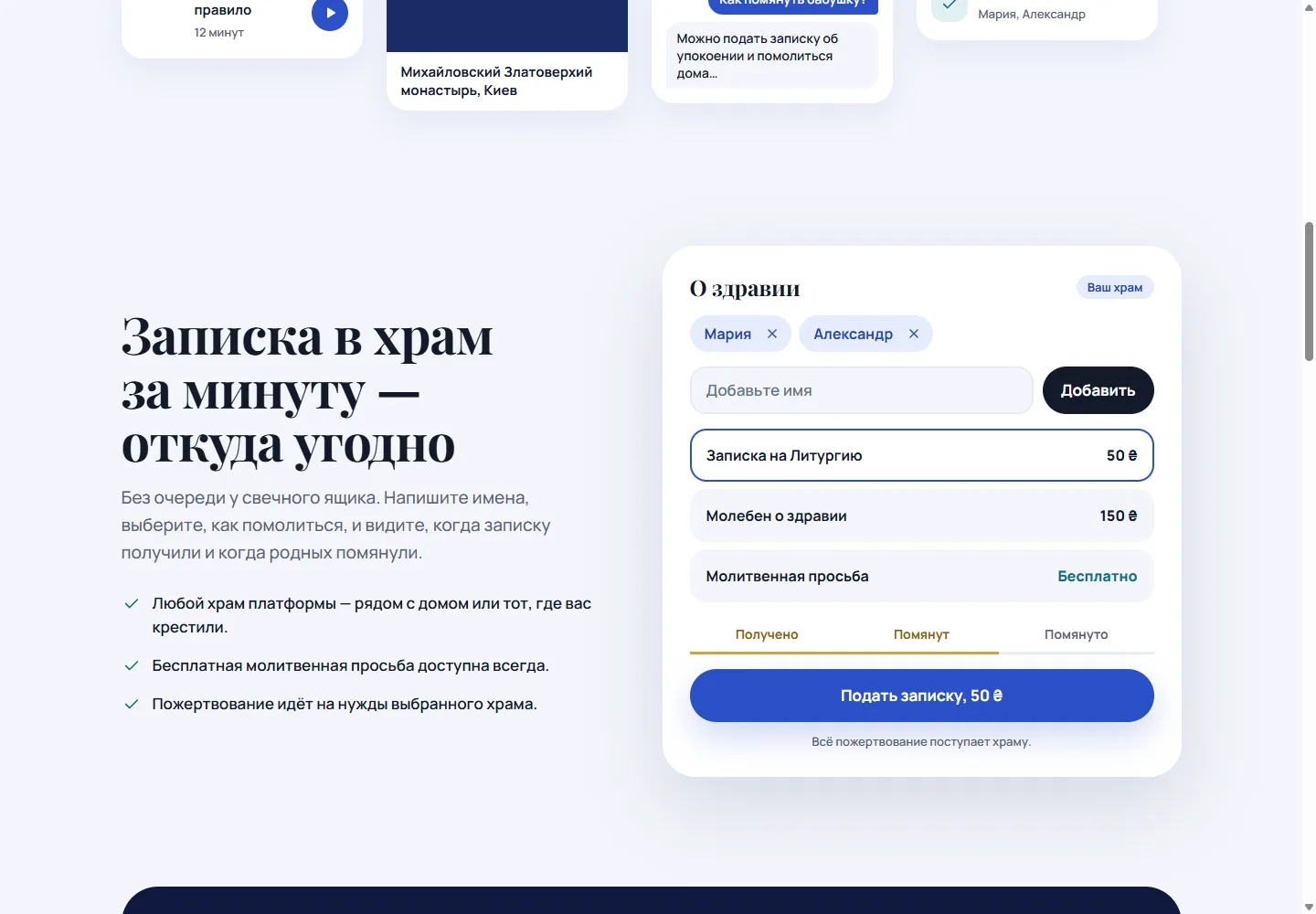
The prayer-note example asks for names and a type of request, then shows acknowledgement and commemoration states. Those states answer the next question after submission: did the parish receive it, and has it been included in a service?
The public presentation keeps a free prayer-request option visible alongside donation-supported services. It also states where donations go. That information belongs next to the choice, where the person can read it before proceeding.
Separate the assistant from the priest
The site labels automated answers as coming from an assistant and shows a personal answer from a priest as a distinct message. It describes routine questions as the assistant’s role and personal matters as something to pass to clergy.
This distinction is part of the interface, not just a footer statement. A person asking a sensitive question should be able to tell who—or what—has answered it.
Support the parish side of the work
The parish information page introduces schedules, community news, lists of names for services, questions and donation reporting. QR codes provide a route from a physical church entrance to that parish’s page.
Roun compared with other online parish channels
These channels can complement one another. A parish can use a video service for broadcasting and still need a process for names, questions and acknowledgement.
| Option | What it supports well | What needs a separate process |
|---|---|---|
| Церква поруч on Roun | Parish information, requests and communication in one workflow | Parish onboarding, content updates and staff follow-through |
| A standalone parish website | A public address, timetable, news and contact details | Request tracking unless specifically built into the site |
| A messaging group | Conversations and updates for existing members | Organised service lists, discovery and consistent request status |
| A video channel | Watching live or recorded services | Routing prayer requests and personal questions to the parish |
Questions before using the platform
Can I send a request to any church?
Start by checking the directory and selecting a participating parish. The platform depends on the parish maintaining its page and handling requests. It cannot guarantee a response from a church that is not participating.
Does the assistant speak on behalf of a priest?
The public interface identifies it as software and distinguishes its messages from a priest’s personal replies. For a personal matter, use the route to clergy and check who has answered.
Is a donation required for every prayer request?
The website presents a free prayer-request option. Other choices can carry a donation amount; review the selected parish, request type and amount before continuing. A separate subscription provides additional product features.
What does a parish need to do after joining?
The site describes an onboarding request followed by help preparing the page, schedule and QR codes. The parish still needs people responsible for keeping information current and handling incoming requests.
What this case demonstrates
The product connects the public experience to the work that follows behind it. Parish identity, request states and clear sender labels help both sides understand the same interaction. That coordination is central to platform development and product design.
Screenshots show the public Russian-language website in October 2026. The examples are product demonstrations; no donation or prayer request was submitted for this case.