A personal health record app begins with a practical problem: the information already exists, but it is spread across files and services. A patient may have a PDF in an inbox, a paper note in a drawer and a year’s worth of readings on a phone. Before an appointment, finding the relevant pieces can take more effort than reading them.
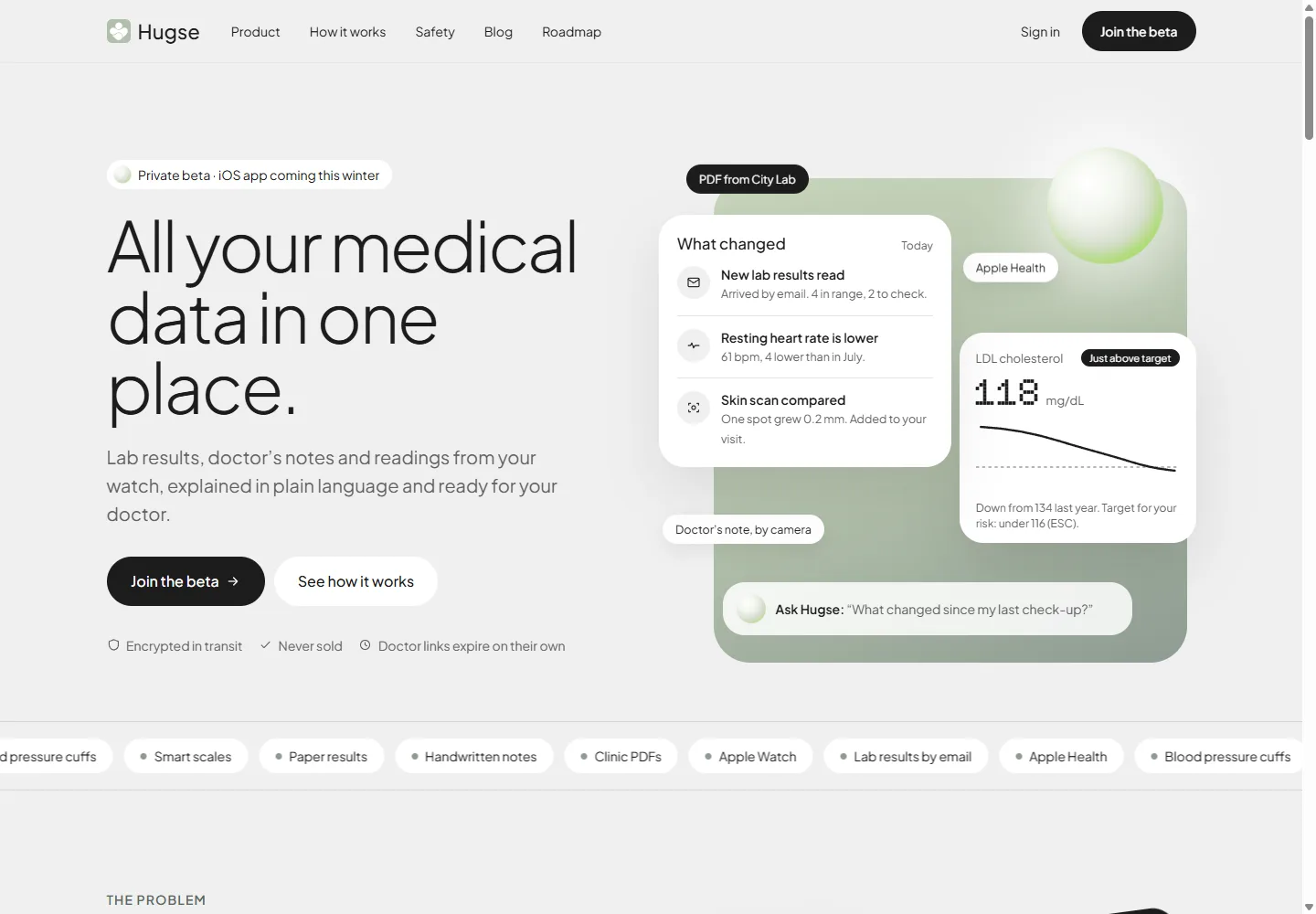
Hugse approaches this through a shared record and a timeline of changes. Its public site describes document intake, source-linked explanations and visit summaries. The product is in private beta, with an iPhone app described as forthcoming. This article examines the design choices in that presentation, rather than assessing medical performance.
Start with the incoming document
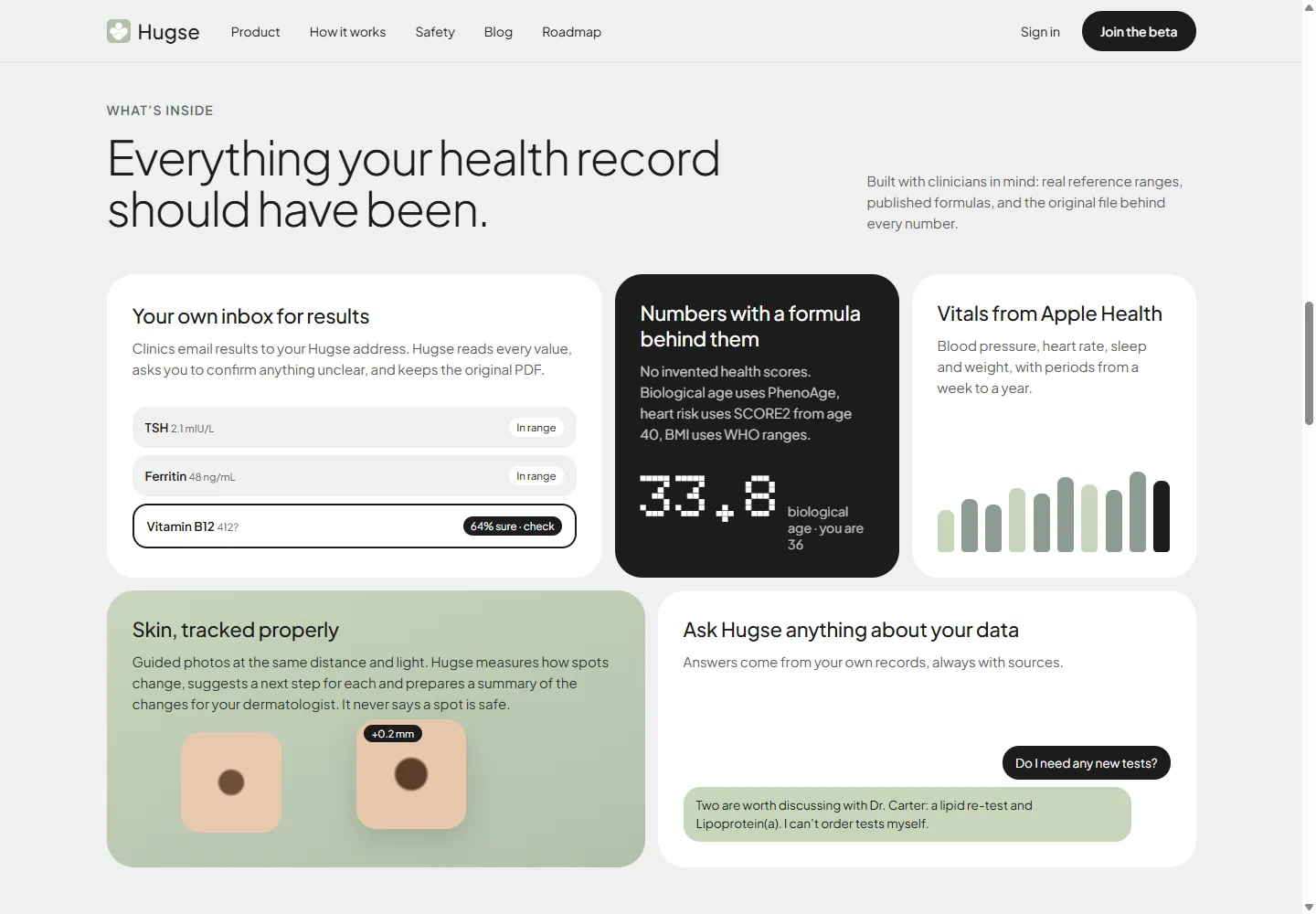
“Upload a file” covers only one way health information arrives. Hugse presents a personal inbox for clinic emails alongside PDF upload, paper scanning and Apple Health connections. Each route fits a different source instead of asking the patient to convert everything into one format first.
The next step is more demanding. Extracting a value from a document creates a new representation of the original. A usable interface should let the person inspect both: the structured result for comparison and the source file for verification.
For a product specification, the unit of work is therefore larger than a number. It includes the value, unit, date, source and any relevant reference range. Losing one of these can make two results look comparable when they are not.
Give uncertainty an action
Hugse’s public interface includes a result marked for checking because the reading is uncertain. That is a concrete alternative to placing a generic disclaimer beneath a list of apparently precise values.
A useful confirmation flow should identify the uncertain field, show the relevant source and let the person correct it. It should also make clear whether a downstream explanation uses the unconfirmed value. Otherwise, an extraction mistake can acquire authority simply by appearing in a chart.
These are design requirements for handling documents; the example does not establish an extraction accuracy rate for Hugse.
Make “what changed?” the first useful question
A chronological archive is helpful for storage. Preparing for a visit calls for a shorter view: what arrived, what differs from the previous record and what the patient wants to discuss.
Hugse’s opening interface uses that structure. New documents and changes appear before the detailed record. This gives someone returning after several weeks a starting point without requiring them to remember the last value they saw.
The design challenge is preserving the context of a comparison. A trend should still reveal its dates, units and original measurements. A short explanation can lead into detail, but it should not remove the evidence needed to check it.
Build the appointment output early
Hugse presents a visit summary containing changes, questions and original files. This turns record keeping into a task with an end: preparing something a patient can share with a clinician.
Designing that output early helps decide what the record needs to retain. If the summary must include the source of a result, intake must preserve the source. If it must show changes over time, the underlying record must preserve dates and units. The appointment view becomes a practical test of the data model.
Sharing needs scope, expiry and revocation
The public sharing concept includes read-only links, selected information, expiry options and the ability to revoke access. Each control answers a separate question: what is shared, what the recipient can do, how long access lasts and how the patient can stop it.
A product team should also design the recipient’s experience after a link expires. An understandable expired-link page is part of the feature, just as much as the button that creates the link.
Keep the role of the software clear
Hugse states that it explains records and helps prepare questions while clinical decisions remain with the patient and doctor. Its safety section describes those limits directly. Product copy, automated answers and sharing screens need to maintain the same boundary.
The Hugse case study shows the public interface in context. For teams building a document-heavy product, the transferable work lies in information design and software development: preserve the evidence, make uncertainty usable and produce an output that serves the next real task.