Manual spreadsheets waste hours and hide patterns like chronic late shifts or unlogged breaks. An AI-powered retail attendance tracking dashboard replaces guesswork with real-time data, cutting administrative load by up to 38% [4]. You see who is on the floor and why absences happen, not just that they did.
This guide covers how automated dashboards integrate biometric checks and shift scheduling into a single view [1][2]. It explains the setup for retail managers who need accurate payroll data without manual entry errors or delayed reporting cycles.
Why Manual Retail Attendance Tracking Fails
Retail operations face a unique constraint: high employee turnover combined with complex shift patterns. When you rely on paper logs or basic spreadsheets, you are not just recording time; you are introducing friction into every daily workflow. This friction creates three specific operational costs that scale poorly as your store count grows.
First, data integrity collapses under volume. Manual entry is slow and prone to mistakes [2]. A single typo in a shift start time can cascade into incorrect overtime calculations or missed break deductions. In a high-turnover environment where new hires are still learning systems, these errors compound daily. You end up spending hours reconciling discrepancies between the schedule and actual hours worked before payroll runs.
Second, visibility is delayed until it is too late to act. Traditional registers lack real-time insights [5]. If an employee calls in sick at 8:00 AM for a morning shift, you do not see that gap on your dashboard immediately. You are managing the floor blind, potentially overstaffing other zones or leaving checkout lanes understaffed during peak hours because the data has not yet been updated by an admin.
Third, administrative overhead consumes productive time. Manual tracking leads to errors, lost data, and wasted time [3]. Store managers spend roughly 15% of their week chasing down missing sign-in sheets or correcting spreadsheet formulas instead of coaching staff or optimizing merchandising. This hidden labor cost reduces the accuracy of your workforce planning and impacts decision-making speed [2].
The result is a reactive management style. You address attendance issues after they impact sales or customer service, rather than identifying trends like chronic late arrivals before they become cultural problems.
Core Features of an AI-Driven Attendance Dashboard
A retail attendance system must move beyond simple timestamp logging. It requires architectural integration with physical access points and automated logic engines to handle high-volume shift changes. The dashboard serves as the single source of truth for workforce data [2]. Without this centralization, discrepancies between badge swipes, app check-ins, and manual timesheets create payroll errors that compound weekly.
The system must ingest biometric data directly from your existing infrastructure. Smart access control systems equipped with facial recognition or fingerprint scanners feed presence data into the dashboard in real-time [4]. This eliminates buddy punching and ensures that the person physically on the floor matches the name on the schedule. The AI processes this image input instantly, updating status indicators without requiring manual verification by a manager [1].
Once data ingestion is secure, the platform must enforce retail-specific labor rules automatically. Manual calculation of overtime or break compliance is prone to error and slow to detect violations. An effective dashboard tracks late arrivals, early exits, and overtime thresholds as they happen [2]. If an employee works past their scheduled shift without approval, the system flags the exception immediately for manager review rather than burying it in a weekly report.
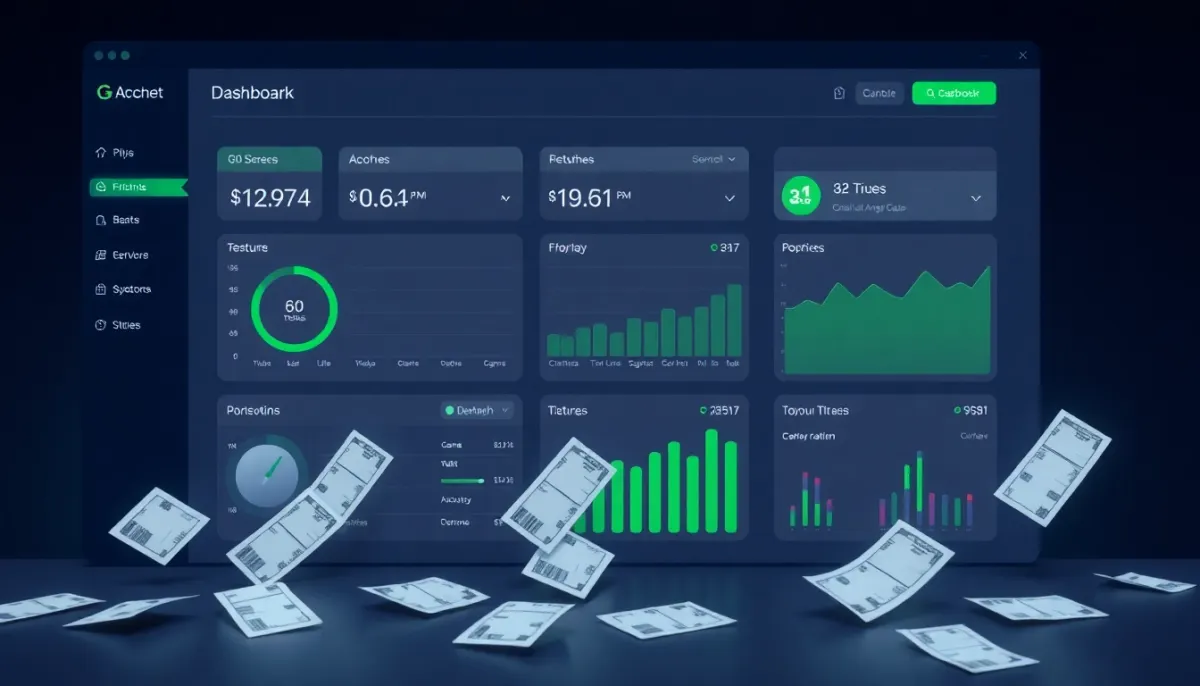
Real-time visualization is critical for operational agility. You need to see store-level headcount against sales velocity metrics on a live-rendered interface [1]. This allows you to adjust staffing dynamically during unexpected rushes or slow periods. The dashboard should highlight anomalies, such as a zone with zero staff coverage while adjacent areas are overstaffed.
Key technical requirements for your evaluation include:
- Biometric Integration: Direct API connection to existing time clocks, facial recognition gates, or mobile apps to create a unified attendance record [2].
- Automated Rule Engine: Pre-configured logic that calculates overtime, break deductions, and shift differentials based on local labor laws and company policy.
- Live Status Rendering: Instant updates to employee status (clocked-in, on-break, off-duty) visible to managers via mobile or desktop [1].
These features reduce the administrative burden of tracking while providing the granular data needed for accurate payroll processing and labor cost analysis.
Real-Time Visibility: From Data Entry to Decision Making
Raw check-in data is useless if you cannot act on it within minutes. A traditional spreadsheet captures history; a live dashboard predicts immediate labor gaps. By replacing manual entry with automated capture methods, such as AI-generated forms or biometric scans [3], your system eliminates the lag between an employee arriving and that status appearing in management reports.
This instant synchronization allows you to monitor attendance, shifts, and leaves across multiple locations simultaneously [2]. When a store manager sees a real-time drop in floor coverage due to an unexpected sick leave, they can reassign staff before sales are lost or customer service suffers. This direct link between workforce presence and operational performance reduces losses associated with understaffing [6].
The value extends beyond simple headcount. Unified AI intelligence connects your attendance records directly to HRMS and broader performance metrics [4]. You stop viewing time tracking as an administrative chore and start treating it as a core business signal. For example, correlating specific shift patterns with sales spikes reveals which staffing levels drive revenue.
To maximize this visibility, structure your dashboard around three immediate actions:
- Identify Coverage Gaps: Highlight zones or shifts falling below minimum staffing thresholds in real-time.
- Approve Exceptions Instantly: Push notifications to managers for late arrivals or early exits, requiring approval before the data finalizes.
- Forecast Labor Needs: Use historical attendance trends to predict future absenteeism and adjust schedules proactively.
This approach ensures that your labor budget aligns with actual store activity rather than static predictions. You gain control over daily operations instead of reacting to end-of-week reports. For deeper insights on visualizing these metrics effectively, review our guide on SaaS Dashboard Design: 7 Best Practices for Retention.
Automating Compliance and Payroll Readiness
Manual time entry introduces friction between store operations and finance teams. A retail attendance tracking dashboard bridges this gap by structuring raw biometric data into a clean, auditable format before it reaches payroll software. This process eliminates the most common source of administrative overhead: correcting mismatched hours or disputed logs.
The system handles the heavy lifting through automated backend logic. AI-driven functions detect and resolve anomalies in shift records instantly [1]. By connecting directly to robust database infrastructure like Supabase, the platform ensures that every check-in event is stored with precise timestamps and geolocation data. This creates a single source of truth for workforce utilization, removing ambiguity from labor cost calculations [2].
Compliance becomes a default state rather than an afterthought. The dashboard enforces regulatory requirements automatically:
- Mandatory Break Tracking: Flags shifts where rest periods are missed or shortened, alerting managers before violations occur.
- Overtime Prevention: Calculates cumulative hours against local labor laws and prompts scheduling adjustments to avoid premium pay rates.
When discrepancies do arise, the system uses structured correction workflows. Managers receive specific alerts for late arrivals or early exits that require justification [2]. This approval step ensures that only verified hours are processed, reducing payroll disputes and maintaining accurate records for audit purposes [4].
By guaranteeing accuracy and compliance at the point of data capture, you reduce the time HR spends reconciling timesheets. The result is a seamless handoff to payroll systems, where clean data translates directly into faster processing cycles and lower administrative costs. You shift focus from fixing errors to analyzing workforce efficiency across your retail network.
Case Study: Quantifiable Impact on Workforce Management
Theoretical efficiency gains mean little without operational proof. Real-world deployments of AI-driven attendance systems demonstrate measurable reductions in administrative overhead and risk. In high-volume environments, automated tracking has been shown to cut administrative workload by 38% [4]. This reduction stems from eliminating manual data entry and reconciling paper records, which traditionally consume hours of management time each week [5].
Beyond time savings, these systems mitigate operational risks through proactive monitoring. AI-driven alerts have reduced security incidents and compliance issues by 29% in similar settings [4]. By identifying anomalies such as unauthorized zone entries or unlogged shifts immediately, managers address problems before they escalate into costly disputes or safety violations. This level of oversight is critical for large-scale operations where strict security protocols are enforced [6].
The impact on retail workforce management follows the same trajectory:
- Administrative Load: A 38% drop in time spent on manual tracking and reconciliation [4].
- Risk Reduction: A 29% decrease in incident-related issues through real-time alerts [4].
- Process Efficiency: Significant reduction in paperwork, allowing staff to focus on customer service rather than data entry [5].
These metrics validate the shift from reactive record-keeping to proactive workforce optimization. You gain a clear view of labor costs and compliance status without dedicating resources to manual verification. This approach aligns with broader strategies for operational excellence in retail, where every minute saved on administration translates directly into improved store performance Strategies for Online Retail Success.
Implementation Checklist: Deploying Your Dashboard
Integration begins with data structure, not software selection. You must define specific attendance metrics—such as standard work hours, break durations, and overtime thresholds—before configuring the system [1]. Ambiguous definitions lead to payroll errors. Establish these parameters first to ensure the AI interprets shift patterns correctly.
Next, map your current input methods to automated processes. If you rely on paper sign-ins or generic spreadsheets, use AI tools to generate tailored forms that match your specific team structure and store layout [3]. This step eliminates manual data entry errors at the source. The system should capture location-specific check-ins rather than relying on broad, unverified timestamps.
Configure rule-based logic for common retail exceptions. Set clear triggers for late arrivals, early exits, and unauthorized overtime [2]. These rules automate approval workflows, reducing the administrative burden on store managers during peak hours. A centralized dashboard aggregates this data from biometric systems or mobile apps into a single source of truth [2].
Finally, secure your data pipeline. Connect the dashboard to your existing databases or version control systems like GitHub for seamless synchronization and backup [1]. This ensures that attendance records are immutable and audit-ready. Proper integration prevents data silos between HR and operations teams.
For guidance on structuring these visual interfaces effectively, review our analysis of retention-focused design principles in SaaS Dashboard Design: 7 Best Practices for Retention. A well-designed dashboard reduces cognitive load for managers who need quick access to labor insights.
Choosing the Right Technology Stack
Selecting between off-the-shelf SaaS and custom development depends on your scale and integration needs. Large enterprises often require centralized systems that handle complex shift logic across multiple locations [2]. If you manage 500+ employees, generic tools may lack the depth required for granular control. For smaller teams or specific use cases like high-security access, specialized platforms offer touchless AI solutions that reduce friction [4].
However, retail environments change rapidly. You need a stack that supports rapid iteration without long development cycles. Modern AI-driven engineering platforms allow for one-click deployment and instant undo capabilities, letting you test new attendance rules immediately [1]. This flexibility is critical when adjusting to seasonal staffing fluctuations or changing labor laws.
Evaluate your current infrastructure before committing:
- Integration Depth: Does the tool connect directly with your payroll provider?
- Scalability: Can it handle peak holiday traffic without latency?
- Customization: Can you modify the logic for unique retail shifts, such as split hours or mandatory breaks?
Off-the-shelf solutions provide speed but often force you to adapt your processes to their constraints. Custom-built dashboards allow you to define metrics that align specifically with your operational goals. If your primary objective is labor cost control rather than just headcount verification, a tailored approach ensures the data serves your financial strategy. Review our guide on Optimize Travel Industry Internal Audits with AI-Powered Deep Learning Pipelines for insights on building audit-ready systems that withstand scrutiny.
Next Steps: Modernizing Your Retail Operations
A dashboard is only as useful as its integration with daily workflows. You need a system that streamlines tracking for HR teams while reducing administrative overhead [1]. For retail environments where safety matters, combine attendance data with AI monitoring to verify PPE compliance and restricted zone access simultaneously [4]. This dual approach ensures you manage both labor costs and physical risk in one interface.
Immediate visibility prevents small scheduling errors from becoming payroll discrepancies. To see how real-time monitoring handles high-volume check-ins and shift changes, start a free trial or book a demo to observe the system under load [2]. Testing with actual store data reveals bottlenecks before they impact your bottom line. If you are ready to replace spreadsheets with automated accuracy, we can build a solution tailored to your specific retail constraints. Contact ReNewator to discuss your infrastructure requirements and deployment timeline.
If you want a second pair of eyes on this, tell us about your project — a senior engineer gives you an honest read on scope, cost, and whether our services fit. No sales pressure.
Frequently asked questions
How does biometric integration prevent buddy punching?
Biometric scanners verify identity through facial recognition or fingerprints at the point of entry. The system links this physical presence data directly to the employee record, ensuring only authorized staff clock in.
Can the dashboard handle complex shift differentials and overtime rules?
Yes, the automated rule engine applies your specific labor policies instantly. It calculates overtime thresholds and break deductions as they occur, reducing manual calculation errors during payroll processing.
What is the typical reduction in administrative time for store managers?
Retailers report cutting administrative workload by up to 38%. Managers spend less time reconciling spreadsheets and more time coaching staff, as the system handles data entry and anomaly flagging automatically.
Does the system require replacing existing time clocks?
Not necessarily. The dashboard integrates via API with most smart access control systems and mobile apps. It aggregates data from your current infrastructure into a single, real-time view without requiring full hardware replacement.
Sources
- AI-Generated Time & Attendance Tracking Systems - Lovable
- Staff Attendance Dashboard for Real-Time Workforce Tracking
- Free AI Attendance Form Generator
- AI Student Attendance & Campus Security for Universities | Vizenta AI
- AI Attendance Tracker Generator - Taskade
- 10 Best Event Attendance Tracking Software Tools (2026 Tested)